
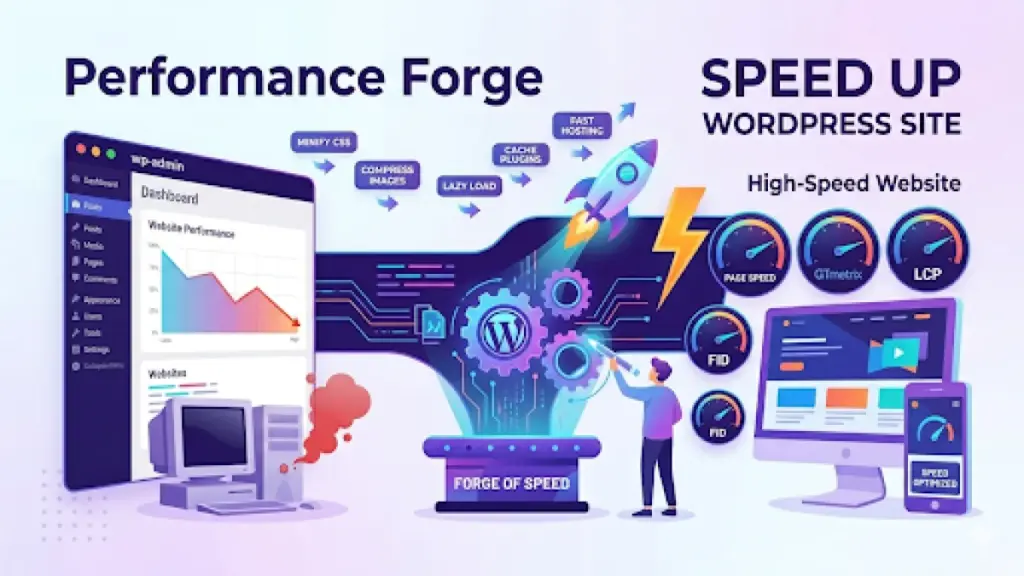
Site speed is not just a luxury. It directly impacts your search rankings, conversion rates, and user experience. Google has made it clear: slow sites lose visitors. According to research, 53% of mobile users abandon a site that takes longer than 3 seconds to load.
The WordPress ecosystem is incredibly flexible, but that flexibility can come at a performance cost if not managed properly. Here is a practical, step-by-step guide to make your WordPress site blazing fast.
Start with a Performance Baseline
Before making any changes, measure where you stand. Use tools like Google PageSpeed Insights, GTmetrix, or WebPageTest to get a baseline score. Pay attention to both lab data and field data. Core Web Vitals — LCP, FID, and CLS — are what Google actually uses to evaluate your site’s real-world performance.
Choose a Lightweight Theme
Your theme determines your site’s structural foundation. Heavy, multi-purpose themes with dozens of bundled plugins and page builders add enormous overhead. Look for lightweight, performance-focused themes. At WPForge, we build every theme with speed as a core principle — minimal CSS, no jQuery dependency, and no bloated frameworks.
Optimize Your Images
Images typically account for the largest portion of page weight. Convert images to modern formats like WebP, which offers 25-35% smaller file sizes compared to PNG and JPEG at the same quality. Compress images before uploading and use responsive images with correct srcset attributes. Lazy load images below the fold so they only load when needed.
Implement Caching
Caching stores a static version of your pages, dramatically reducing server processing time. Page caching serves pre-built HTML pages instead of running PHP and database queries on every visit. Browser caching stores static assets locally on visitors’ devices. Object caching speeds up expensive database queries. Most managed WordPress hosts include server-level caching.
Use a Content Delivery Network
A CDN distributes your static assets across a global network of servers. When a visitor loads your site, assets are served from the nearest CDN edge location rather than your origin server. This reduces latency significantly, especially for international audiences. Cloudflare offers a generous free tier that is easy to set up.
Minify and Combine CSS and JavaScript
Every CSS and JavaScript file on your site requires a separate HTTP request. Minifying removes unnecessary characters — whitespace, comments, and formatting — to reduce file size. Combining merges multiple files into fewer requests. But be careful with combination: HTTP/2 handles multiple parallel requests efficiently, so aggressive combination can actually hurt performance.
Clean Up Your Database
Over time, your WordPress database accumulates bloat: post revisions, spam comments, transient options, and orphaned metadata. A bloated database means slower queries. Use a plugin like WP-Optimize or run manual SQL queries to clean up regularly. Also consider enabling automatic cleanup of post revisions by limiting them in wp-config.php.
Choose Quality Plugins Carefully
Not all plugins are created equal. A poorly coded plugin can add hundreds of milliseconds to your response time. Audit your plugins regularly. Remove anything you are not actively using. For critical functionality, test plugins against each other to see which performs best. Sometimes a simpler, lighter plugin beats a feature-rich heavyweight.
Optimize Your Hosting Stack
Switch to PHP 8.0 or higher if you have not already. PHP 8.x is significantly faster than PHP 7.x, which is faster than 5.x. Use a modern server stack: Nginx or LiteSpeed with proper caching configuration. If you are on shared hosting, consider upgrading to a VPS or managed WordPress hosting for dedicated resources.
Conclusion
Speed optimization is a continuous process, not a one-time fix. Start with the highest-impact changes first: caching, image optimization, and a CDN. Then iterate with more advanced techniques. A fast WordPress site is not just possible — it is expected. Your visitors and your search rankings will thank you.

0 Comments
Please log in to leave a comment.